Efficiently isolates bad sectors and partitions damaged drives to maximize stability and usable space
Efficiently isolates bad sectors and partitions damaged drives to maximize stability and usable space
Vote (15 votes)
Program license Full
Developer softpublisher2012
Version 3.3.2
Works under Windows
Vote
(15 votes)
Developer
softpublisher2012
Works under
Windows
Program license
Full
Version
3.3.2
Pros
- Efficient scanning and detection of bad sectors
- Visual disk mapping for easy partition management
- Can pause and resume scans with auto-save feature
- Minimal technical knowledge required for basic operations
- Advanced partition customization available
Cons
- Less effective with SSDs or non-traditional drives
- Interface is utilitarian rather than modern
- Does not repair bad sectors, only isolates them
- Data on damaged sectors may already be inaccessible
Efficient tool for isolating bad sectors and partitioning damaged drives.
Overview
Partition Bad Disk is a specialized utility designed for Windows users who need to manage hard drives with defective or bad sectors. Its main function is to help users isolate damaged sectors, allowing the creation of usable, healthy partitions while effectively shielding problematic areas. By focusing on damaged or aging hard drives, the program offers a lifeline for data storage that would otherwise be lost due to sector errors.
Features
The core capability of Partition Bad Disk lies in its ability to scan storage devices and identify both physical and logical sector faults. It uses a high-speed scanning algorithm, so even large drives can be checked in a reasonable amount of time. If a scan is interrupted or paused, results are automatically saved, streamlining future operations.
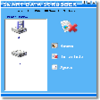
The software provides a visual map of the disk, presenting blocks that clearly indicate healthy and defective sections. This visualization makes it straightforward to define new partitions while excluding unreliable areas. Users can adjust partition parameters — including size, type, start and end points — offering flexibility to tailor disk space according to needs.
There are few restrictions on how partitions can be created or combined, and users can manage multiple logical drives as required. For advanced users, the app offers different partitioning strategies that automate much of the process, making it suitable for a wide range of technical skill levels.
Performance
Partition Bad Disk is engineered to operate without causing system instability, even when dealing with severely compromised disks. Its robustness minimizes the risk of computer freezes during scanning or partition creation. Disk scans progress quickly compared to standard tools, reducing unnecessary downtime.
The application supports a variety of drive types and capacities. However, its primary focus is on traditional hard disk drives (HDDs); newer SSDs with advanced error management may not benefit in the same way.
User Experience
The user interface is practical, with an emphasis on utility over aesthetics. The block diagram simplifies the complex process of partition management, making the software accessible to non-experts. Comprehensive prompts and tooltips further guide the user through operations, helping prevent accidental data loss.
While the tool is approachable for beginners, those with advanced needs will appreciate optional detailed controls for manual partition management. The clear separation of good and bad sectors in the interface contributes to user confidence and efficiency.
Conclusion
Partition Bad Disk presents a valuable solution for extending the usability of failing hard drives. By enabling the salvage of healthy areas and blocking defective ones from everyday use, it helps users maximize disk life and preserve precious storage. While not a substitute for regular data backups, it adds significant value for anyone managing aging or problematic hardware.
Pros
- Efficient scanning and detection of bad sectors
- Visual disk mapping for easy partition management
- Can pause and resume scans with auto-save feature
- Minimal technical knowledge required for basic operations
- Advanced partition customization available
Cons
- Less effective with SSDs or non-traditional drives
- Interface is utilitarian rather than modern
- Does not repair bad sectors, only isolates them
- Data on damaged sectors may already be inaccessible